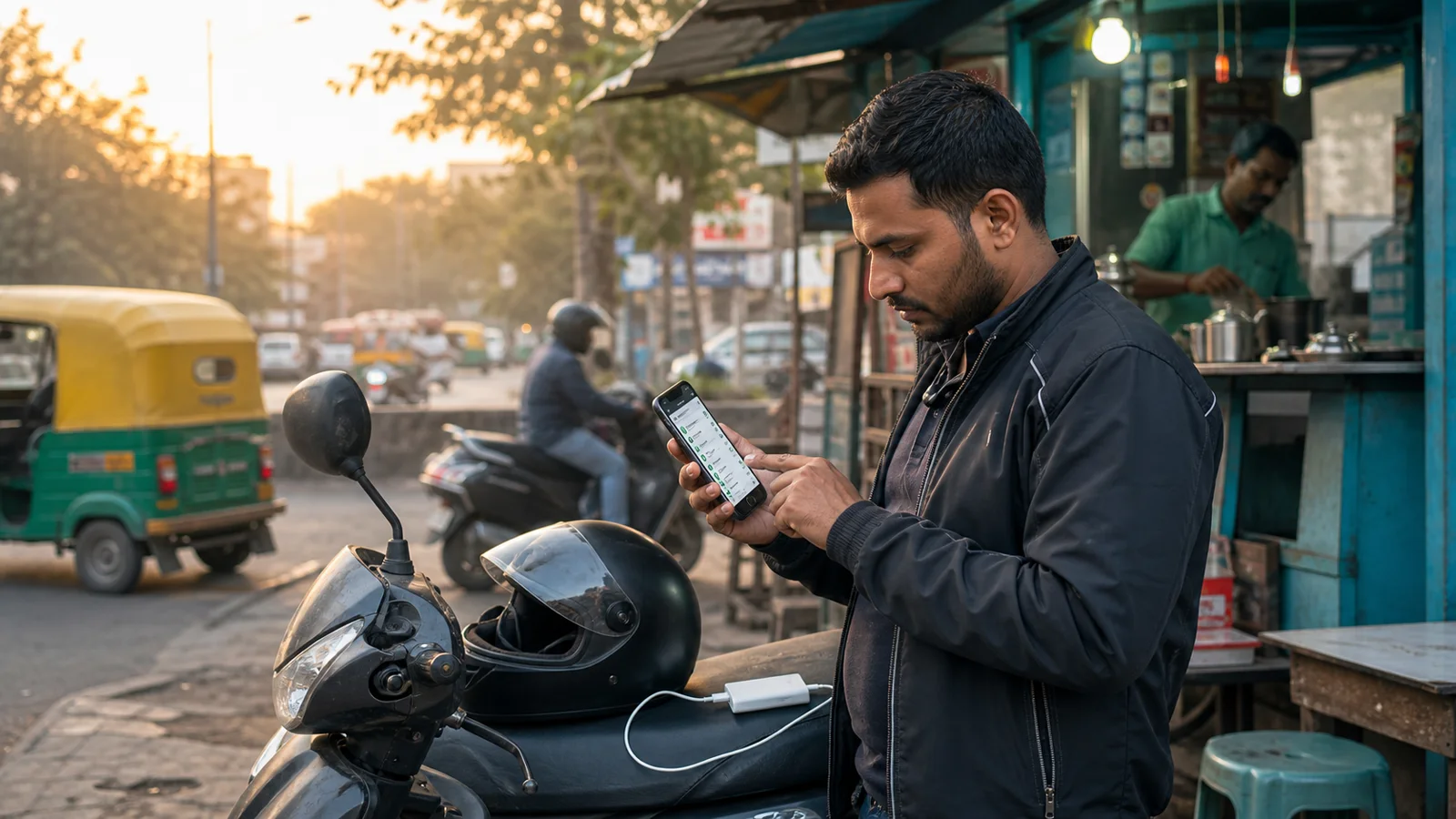
Every experienced driver knows that the first fifteen minutes of a shift often decide how the next eight hours will feel. If you start in a rush, with a half-charged phone, unclear apps, and no sense of where the demand is, the day feels longer than it is. On the other hand, a calm, repeatable pre-shift routine gives you a small sense of control before the road takes over.
This article is not about working harder. It is about removing the small frictions that drain energy before you even accept your first request. Think of it as a cockpit check before take-off. You are not trying to predict the day; you are making sure you are ready for whatever it throws at you.
Start with the body, not the phone
Before you touch your device, take two minutes for yourself. Drink water. Eat something light if you have not eaten. Check your footwear, your wallet, and your vehicle documents. These sound obvious, but skipping them creates background stress. Background stress makes you react more sharply to bad traffic, cancelled rides, or low fares.
If you are doing long shifts, carry a small snack and a water bottle. Stopping for both is harder during surge hours. A hydrated driver is a patient driver, and patience is one of the most profitable skills on the road.
Charge, clean, and mount the phone
Your phone is your workplace. Treat it like one. Plug it in while you prepare. Wipe the screen. Check that the mount is tight and that the charging cable does not interfere with the gear lever or handlebars. A loose mount on a bad road is distracting and dangerous.
Close apps you used yesterday and are not part of today's work. Social media, games, and video apps running in the background steal battery and data. Keep only the ride or delivery apps you plan to use, plus maps, payment, and support tools.
Do a five-minute permission check
Android updates sometimes reset permissions. Location, notification, battery optimization, overlay, and accessibility settings can all change overnight. Open each app you plan to use and confirm the permissions are still allowed. This is especially important if you share the phone with family members.
If you use Auto Accept App, run through its readiness checklist. It shows each permission status in one glance. Fix anything that is red before you go online. It is much easier to do this parked outside your home than at a busy stand five minutes after you missed a good trip.
Set your fare and distance rules
Decide in advance what kind of trips you want today. Are you looking for short, frequent rides in the city center? Or longer airport drops with fewer interruptions? Set your fare range accordingly. If you drive for multiple platforms, note which one is your primary today and why.
Writing this down in a simple note app helps. When a low-value ping arrives during a slow patch, you will be tempted to accept it out of boredom. Your note becomes the quiet voice that says, "We agreed not to take these today."
Check the weather and traffic mood
Look at the weather forecast and current traffic on your usual routes. Rain changes everything. It reduces visibility, slows traffic, makes customers late, and increases cancellation rates. Knowing this in advance lets you choose safer routes and set realistic earnings expectations.
Also check for local events: cricket matches, concerts, protests, or metro closures. These create demand pockets you can position for, or traffic jams you can avoid.
Plan your first hour
Decide where you will start. Home? A railway station? A food court cluster? The first hour is your warm-up. Do not chase surge blindly. Go to an area where you know the roads, the parking spots, and the restroom options. Confidence in the first hour carries into the rest of the day.
Tell someone your rough plan. A two-second WhatsApp message to a family member is enough. It keeps you connected and gives someone a starting point if anything goes wrong.
Build the habit slowly
You do not need to adopt every step from day one. Pick three that matter most to you and do them for a week. Once they feel automatic, add one more. A routine that feels heavy will be abandoned. A routine that feels light will stay with you.
Over time, this pre-shift ritual becomes a signal to your brain: work mode is starting. That mental transition is worth more than any single setting on your phone.
Make the checklist fit your city
A routine works best when it sounds like your real day, not like a perfect checklist from the internet. A driver in Jaipur may start with heat, dust, and tourist traffic. A Bengaluru driver may think first about one-way roads, tech-park timing, and rain. Someone doing Blinkit or Porter work may care more about battery, bag space, and pickup parking than long-distance fares. Keep the core habit the same, but let the details match your city, your vehicle, and the apps you actually use.
Use one dashboard, then trust your eyes
Tools such as Auto Accept App can keep permission status, selected work apps, and shift history easier to review. Still, the final check should always be simple: is the phone mounted, is the service ready, is the route safe, and are you calm enough to start? Automation support is useful when it removes confusion, but the driver remains the person making the road decision.
Review yesterday before changing today
Many drivers change settings too quickly after one bad hour. A better habit is to look at yesterday's accepted activity, cancelled trips, fuel use, and break timing. If two or three shifts show the same pattern, then adjust your fare range or starting area. This keeps your routine practical instead of emotional.
Keep a short closing note
At the end of the day, write one line: what worked, what wasted time, and what you will check tomorrow. This takes less than a minute, but it turns daily driving into learning. After a few weeks you will know which starts produce calmer shifts, which stands drain time, and which phone settings usually need attention.
Final thought
The strongest drivers do not rely on luck alone. They build small habits, keep the phone setup clean, and review what the shift actually taught them. Auto Accept App is there to support that workflow, while the final decision always stays with the person on the road.
FAQ
How long should a pre-shift routine take?
Most drivers can finish a useful routine in 10 to 15 minutes once the habit is built.
Should I check every app before every shift?
Check the apps you plan to use that day. There is no need to open old apps that are not part of the shift.
Can Auto Accept App replace my own judgment?
No. It can organize app readiness and workflow signals, but road safety and platform decisions stay with the driver.